Career & second act · AI at Work
How to use AI at work: faster email, reports and meetings
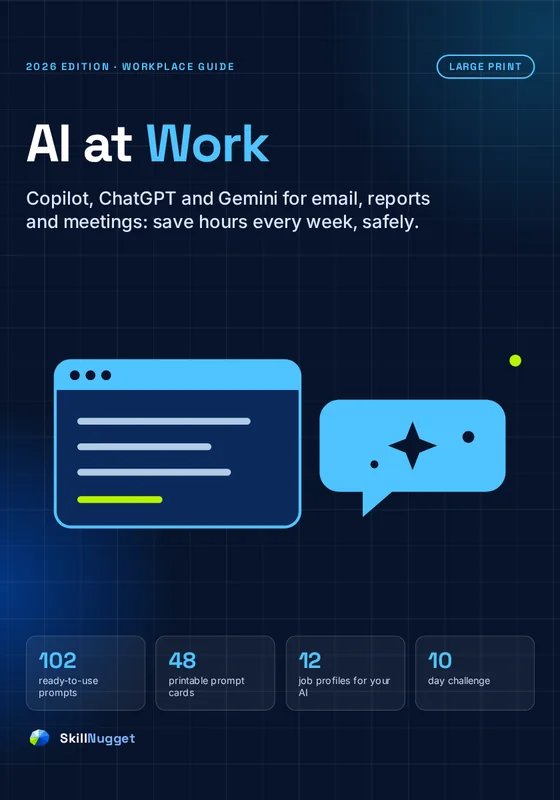
AI at Work shows you which tasks to give Microsoft Copilot, ChatGPT or Google Gemini, how to brief them so the answers are actually useful, and how to check what comes back before it goes out with your name on it. Practical, safe and written for real jobs.
- 15 practical chapters
- 102 ready-to-use prompts
- Works in Copilot, ChatGPT and Gemini
- 48 printable prompt cards
Secure checkout by Polar Instant download Sign in by email, no password
Already bought it? Sign in to your library
What you'll be able to do
After reading, you'll be able to
- Know what AI is good at, and what it isn't with the "jagged frontier" from Harvard and BCG research (Chapter 1).
- Use AI without risking your job with the traffic-light data rule and the 5-point check (Chapter 3).
- Get useful answers the first time with BRIEF: Background, Request, Intended reader, Example, Fences (Chapter 4).
- Clear your inbox faster with prompts for writing, replying, shortening and difficult emails (Chapter 5).
- Turn meetings into actions with agendas, summaries and follow-up emails in minutes (Chapter 6).
- Write reports, slides and spreadsheets faster and check every number before it leaves your desk (Chapters 7 to 9).
The toolkit
The book, plus a toolkit for your desk
One purchase, six downloads, yours to keep. Keep the cards by your keyboard and the prompt pack on your phone. The surprise is the role profiles.
-
The book
15 chapters: the jagged frontier, the safety rules, BRIEF, eight chapters of work prompts, your workflows, your team and a 10-day challenge.
-
48 Prompt Cards
The most useful prompts in eight areas of work, to keep by your keyboard.
-
The Desk Reference
BRIEF, the traffic-light data rule, the 5-point check, the follow-ups that fix anything and ten weekly prompts.
-
The surprise: Your AI, Tailored
Ready-made "about me" profiles for twelve common jobs, plus one for any job, so your assistant answers like it knows your work.
-
The profiles, plain text
All 13 profiles as plain text, to copy into your assistant's settings or a conversation.
-
The Prompt Pack
Every prompt in the book as plain text, grouped by chapter, so you can copy and paste on any device.
Free sample Download a free sample first: no email, no sign-up.
Free tool
Build a BRIEF prompt in one minute
The method from Chapter 4. Fill in the five parts (or pick an example), then copy the prompt into Copilot, ChatGPT or Gemini. Nothing you type leaves this page.
Your prompt
Before you paste: follow your organization's AI policy, and keep customer data, passwords and anything confidential out of tools that aren't approved. Then check facts, numbers and names in the answer.
Inside the guide
What's inside
Three parts: the foundations, the work itself and how to make it stick.
Foundations
What AI is good at, which assistant to use, the rules and the BRIEF method.
- 01What AI is good at (and what it isn't)
- 02Copilot, ChatGPT or Gemini?
- 03The rules: use AI safely
- 04BRIEF: how to ask for anything
The work
The jobs that fill your week.
- 05Email
- 06Meetings
- 07Reports and documents
- 08Spreadsheets and data
- 09Presentations
- 10Research and summaries
- 11A thinking partner
- 12Your career with AI
Make it stick
Your own system, your team and a 10-day challenge.
- 13Build your AI workflows
- 14For managers and teams
- 15The 10-Day AI at Work Challenge
Free from the book
Six prompts you can use today
Copy one, fill in the [brackets] and paste it into Copilot, ChatGPT or Gemini.
Notes to email
Then try: "Make it sound warmer and more human."
Three replies
Then try: picking one and saying "Shorter, and in my style."
Meeting to actions
Then try: asking for a short follow-up email to the attendees.
Draft without inventing
Then try: checking every [CHECK] before you share it.
Explain a formula
Then try: asking it to write the formula you actually need.
The pre-mortem
Then try: choosing one risk to act on this week.
These six are from the book. The other 96 cover replies, inboxes, agendas, reports, data, slides, research, decisions, role-play and your career.
Look inside
Real pages from the book
Large type, ready-to-copy prompts and safety rules you can actually follow.


Free sample Read the first chapters before you buy.
The prompt cards
The 48 prompt cards in the toolkit
Eight areas of work, each with the prompts people use most. The full prompts are on the cards and in the book.
- 01Notes to email
- 02Shorter and clearer
- 03Calm down my draft
- 04What are they asking?
- 05Three replies
- 06Polite follow-up
- 07Say no nicely
- 08Thread summary
Meetings
- 09Agenda
- 10Prepare me
- 11Notes to actions
- 12Follow-up email
- 13Objections
- 14Could be an email?
Documents
- 15Outline first
- 16Draft from my notes
- 17Executive summary
- 18Plain English
- 19Skeptical reader
- 20Status update
- 21Consistency check
- 22One-page FAQ
Data
- 23Write a formula
- 24Explain a formula
- 25Fix an error
- 26Clean my data
- 27Find the story
- 28Best chart
Slides
- 29Storyline
- 30Report to slides
- 31Cut the text
- 32Tough questions
- 33Speaker notes
- 34Strong opening
Research
- 35Summarize for me
- 36Show your quotes
- 37Deadlines and numbers
- 38Compare options
- 39New topic, fast
Thinking
- 4020 ideas
- 41Pre-mortem
- 42Devil's advocate
- 43Hidden assumptions
- 44Help me decide
- 45Role-play
Career
- 46My achievements
- 47CV bullets
- 48Interview practice
Every prompt works in Microsoft Copilot, ChatGPT and Google Gemini. Fill in the [brackets] and add a BRIEF detail or two for better results.
What you get
Everything that's inside
- The 59-page book in large print: 15 chapters from the foundations to your own AI workflows.
- 102 ready-to-use prompts for email, meetings, reports, spreadsheets, slides, research, thinking and your career.
- The safety rules a traffic-light rule for data, the 5-point check and a 10-scenario quiz.
- The 10-Day AI at Work Challenge one real task a day, about fifteen minutes each.
- 48 Prompt Cards printable, in eight areas of work.
- A 2-page desk reference BRIEF, the traffic light, the 5-point check and ten weekly prompts.
- The Prompt Pack all 102 prompts as plain text, to copy and paste.
- A surprise 12 ready-made job profiles (plus one for any job) that make your assistant answer like it knows your work.
This guide is for you if
- Your organization has Copilot, ChatGPT or Gemini and you're only using a fraction of it.
- You spend hours a week on email, notes, reports and updates.
- You want to use AI without leaking data or embarrassing yourself.
- You lead a team and want simple, sensible guidelines.
It's not for you if
- You want to build AI software or automate your whole job. This book is about everyday work tasks.
- You need legal, HR or compliance advice: always follow your organization's policies.
Start this week
Get the guide and toolkit
AI won't do your job for you. Used well, it gives you back the hours you lose to blank pages, long threads and meeting notes, so you can spend them on the work only you can do.
PDF guide + printable toolkit · 59 pages · 2026 edition
AI at Work
- The book · PDF · 59 pages · large print
- 48 Prompt Cards · Printable PDF · 8 card pages
- The Desk Reference · Printable PDF · 2 pages
- The surprise: Your AI, Tailored · PDF · 13 profiles
- The profiles, plain text · Plain text · ready to paste
- The Prompt Pack · Plain text · all 102 prompts
Secure checkout by PolarRead anywhere, or print
Good questions
Questions people ask
Does it work with Microsoft Copilot, ChatGPT and Gemini?
Yes. Every prompt in the book works in all three, and in most other AI assistants. The book teaches tasks and prompts, not menu paths, because product features change every few months.
Is it safe to use AI at work?
It can be, if you follow your organization's policy, use approved tools and check what comes back. Chapter 3 gives you a simple traffic-light rule for data and a 5-point check before you send anything.
I'm not technical. Is this for me?
Yes. It's written in plain English for people in any job, with copy-and-paste prompts and examples.
What are the role profiles?
Ready-made "about me" texts for twelve common jobs (from teachers and sales to project managers and small-business owners), plus one for any job. You give one to your assistant, and its answers start to fit your work.
What exactly do I download?
Six files plus a free sample: the 59-page book (PDF), 48 Prompt Cards (PDF), the desk reference (PDF), the role profiles (PDF and plain text) and the prompt pack (plain text).
Can I print it?
Yes. Everything prints on US Letter or A4. Print the printables as often as you like for your household.
Can I see some of it first?
Yes. Download the free sample (the welcome and three full chapters, including BRIEF and email), and try the BRIEF builder on this page.
How do I get the files after paying?
Right after checkout you come back to your SkillNugget library, and we email you a sign-in link. Download the files there any time, on any device. No password needed.
Keep learning
Goes well with
Shorter inboxes. Better work.
102 prompts, the BRIEF method and the rules that keep you safe, for less than the price of a lunch out.
AI at Work is a practical guide to using AI assistants at work. It is not legal, HR, security or compliance advice: always follow your organization's policies and local law. Microsoft Copilot, ChatGPT and Google Gemini are trademarks of their owners; this book is independent and not endorsed by them. Features change often and vary by plan.